
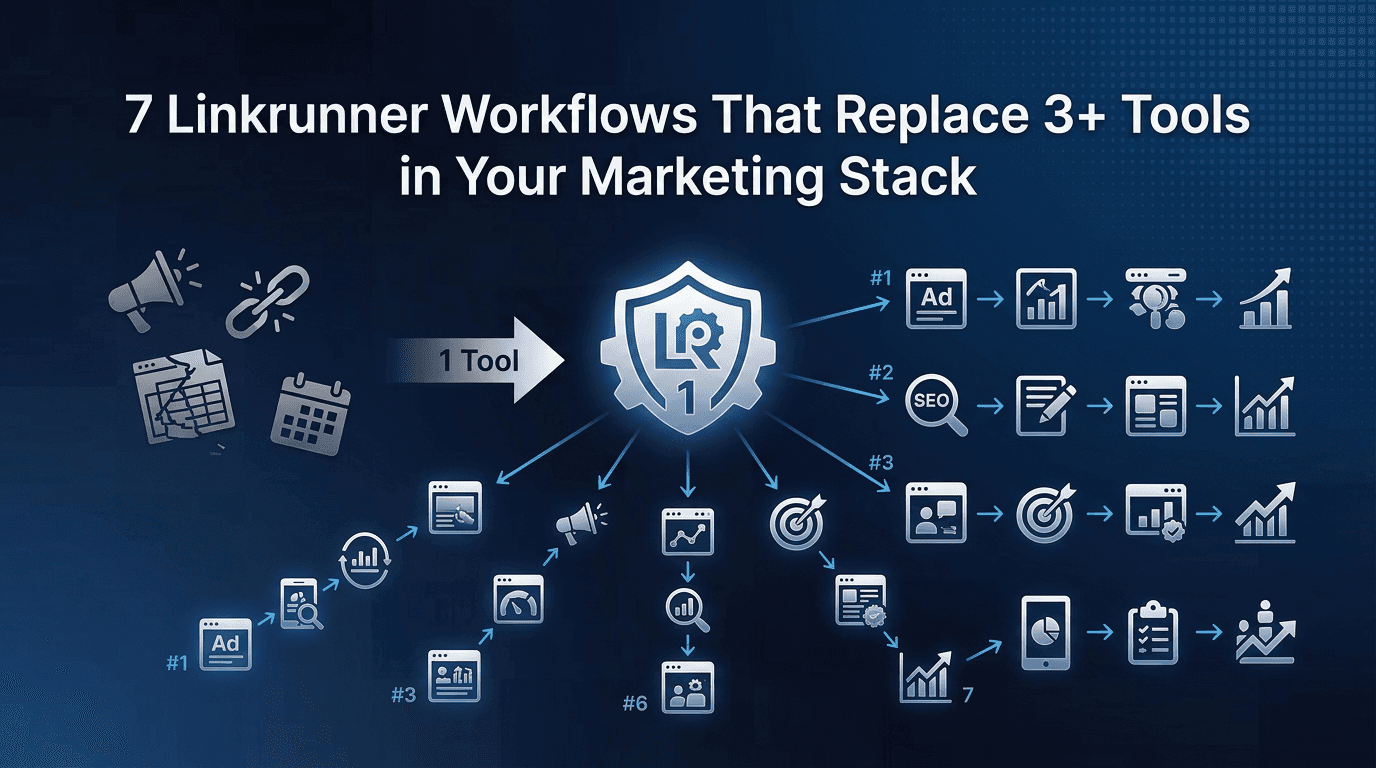
The average mobile marketing team uses 5-8 separate tools just for measurement, linking, and reporting. A URL shortener, a UTM builder, a deep linking platform, an MMP, a spreadsheet for reconciliation, and maybe a BI tool on top.
Each tool comes with its own login, its own pricing tier, its own data format, and its own version of the truth. The subscription costs add up. The context-switching tax adds up faster. And the time spent reconciling data across tools is time you'll never get back.
For teams that want to understand which tools genuinely stack with an MMP, the question is: how many of these tools are actually necessary? Here are seven workflows where Linkrunner collapses three or more tools into one.
Workflow 1: Campaign Link Creation + URL Shortener + UTM Builder
What most teams use today:
Bitly or short.io for short links
Google's Campaign URL Builder for UTM tagging
A spreadsheet to track which links map to which campaigns
What this actually costs: Three tools, three points of failure, and a spreadsheet that's always slightly out of date.
How Linkrunner replaces all three: Every campaign link created in Linkrunner is automatically shortened, UTM-tagged, and tracked. The link, its parameters, and its performance all live in one place. No spreadsheet layer. No separate shortener. No manual UTM builder.
Workflow 2: Deep Linking + Attribution + Deferred Routing
What most teams use today:
Branch for deep linking
AppsFlyer or Adjust for attribution
Custom fallback logic for deferred routing (users who need to install first)
What this actually costs: Two separate platforms with two separate SDKs, two billing relationships, and a handoff gap between the deep link click and the attribution event.
How Linkrunner replaces all three: Linkrunner unifies deep linking and attribution in a single SDK. Every link is dynamic and deferred by default: users are routed to the correct in-app destination even if they install the app after clicking. No separate deep linking tool. No handoff gap. As we've covered before, deep linking and attribution should never be separate products.
Workflow 3: Influencer/Affiliate Tracking + Link Management + Revenue Attribution
What most teams use today:
Manual UTM links or Bitly links for each influencer
A spreadsheet mapping influencer names to links to installs
Separate revenue matching (often done manually at month-end)
What this actually costs: Hours of manual reconciliation, delayed payments, and no visibility into which influencers actually drive revenue (not just installs).
How Linkrunner replaces all three: Create a unique influencer tracking link in Linkrunner for each creator. The link tracks clicks, installs, in-app events, and revenue in one view. No spreadsheet matching. No delayed reconciliation.
Workflow 4: SKAN Reporting + Conversion Value Management + Privacy Dashboard
What most teams use today:
SKAN reports from each ad network (Meta, Google, TikTok) viewed separately
A spreadsheet to decode conversion values manually
No centralised view of privacy-tier data
What this actually costs: Fragmented iOS measurement, manual decoding that's error-prone, and no unified picture of SKAN performance across networks.
How Linkrunner replaces all three: Linkrunner's SKAN wizard centralises conversion value configuration, decoding, and reporting in one dashboard. Privacy tiers, conversion tables, and trend graphs are all built in. No spreadsheet decoding. No per-network SKAN tabs.
Workflow 5: Cross-Channel Reporting + Spreadsheet Consolidation + Executive Dashboards
What most teams use today:
Export CSV from Meta Ads Manager
Export CSV from Google Ads
Manually merge in Google Sheets
Build charts and commentary for the leadership deck
What this actually costs: 2-4 hours every week on a merge ritual that a single dashboard should handle.
How Linkrunner replaces all three: Linkrunner's campaign intelligence dashboard consolidates all channels into one view. Multi-account support means you can connect unlimited Meta and Google accounts. Channel-level ROAS, campaign-level CPI, and creative performance are all available without a single export.
Workflow 6: QR Code Generation + Offline-to-App Tracking + Deep Link Routing
What most teams use today:
A QR code generator (often a free web tool)
Manual UTMs appended to the QR destination URL
No attribution for QR-driven installs (the link doesn't connect to the MMP)
What this actually costs: Offline campaigns (events, packaging, DOOH) are effectively unmeasured. You know QR codes were scanned, but you don't know what happened after.
How Linkrunner replaces all three: A Linkrunner QR deep link generates the QR code, handles deferred deep linking (routing to the right screen even after install), and attributes the user back to the specific offline campaign. One link. Full-funnel visibility.
Workflow 7: Postback Management + Ad Network Optimisation + Revenue Signal Forwarding
What most teams use today:
Manual postback configuration for each ad network
Install-only signals sent to Meta/Google/TikTok (no revenue data)
No feedback loop between in-app revenue and ad platform bidding
What this actually costs: Ad platforms optimise for installs, not revenue. Your bidding algorithms never learn which users are actually valuable.
How Linkrunner replaces all three: Linkrunner's automated postback optimisation sends revenue signals (not just install events) back to Meta, Google, and TikTok. This means ad platforms can optimise for quality users, not just volume. The postback configuration is centralised and managed from one screen.
What Should Stay in Your Stack After Consolidating?
Consolidation doesn't mean eliminating everything. After moving these seven workflows into Linkrunner, you'll still need:
Your ad platforms (Meta, Google, TikTok) for campaign creation and management
Your CRM or engagement tool (CleverTap, MoEngage, Braze) for lifecycle messaging
A BI tool (only if you need cross-source joins that go beyond attribution data)
Everything else is a candidate for retirement. The subscription savings alone are significant: teams running Branch + AppsFlyer + Bitly + a QR tool are often paying Rs3-8 lakh/month. Linkrunner's transparent tiered pricing starts at $0.012 per attributed install, with 25,000 free installs to start.
If you're ready to simplify your stack, request a demo and we'll map your current tools to Linkrunner workflows.
FAQ
How many tools does the average mobile marketing team use for measurement?
Most teams we've worked with use 5-8 tools across attribution, deep linking, URL management, and reporting. The overlap between these tools is usually significant, which is where consolidation creates the most value.
Can Linkrunner fully replace Branch and AppsFlyer together?
Yes. Linkrunner provides unified deep linking (dynamic + deferred) and attribution in a single platform with a single SDK. Teams migrating from a Branch + AppsFlyer setup typically complete the switch in 4-6 weeks.
What tools should I keep even after consolidating into an MMP?
Keep your ad platforms (Meta, Google, TikTok) for campaign management, your CRM/engagement tool for lifecycle marketing, and a BI tool only if your reporting needs extend beyond attribution data.
How long does it take to migrate from a multi-tool setup to Linkrunner?
Most migrations take 4-6 weeks, with 8-12 hours of actual engineering time. The longest part is usually running both systems in parallel to verify data consistency before sunsetting the old tools.