
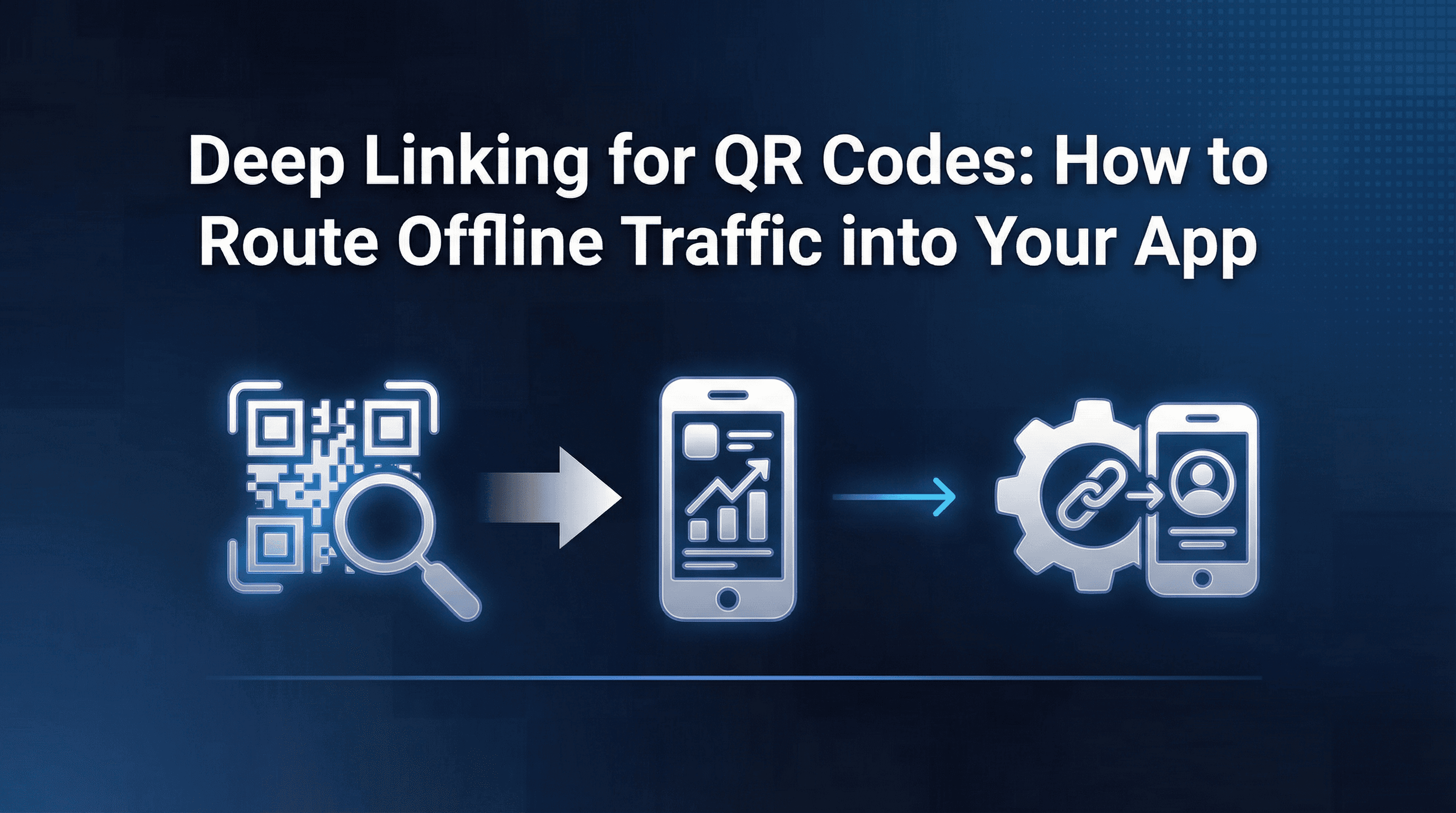
Across attribution audits for consumer apps running offline campaigns, one pattern keeps showing up: QR codes that generate thousands of scans but zero attributable revenue. The scans happen. The installs happen. But the connection between a physical poster in a Bengaluru metro station and a paying user inside the app? That's where most teams lose the thread.
The problem isn't the QR code itself. It's what sits behind it. When a QR code points to a plain URL or a generic app store listing, every scan becomes an orphan: no context carried forward, no campaign identifier preserved, and no way to distinguish whether a user came from a coffee shop table tent or a billboard on MG Road.
This guide covers the full workflow: from generating QR codes backed by dynamic deep links, to handling users who don't have the app installed, to attributing scans through to revenue.
Why QR Codes Need Deep Links (Not Just URLs)
A standard QR code encodes a URL. When scanned, it opens that URL in a browser. If the URL points to your website or an app store listing, that's where the user lands. No routing logic. No context. No attribution signal. This creates three problems for any team investing in offline campaigns.
First, the user experience breaks. A customer scans a QR code on a product package expecting to land on that specific product inside the app. Instead, they land on the app store, install the app, open it, and see the home screen. The promised destination is gone. Friction like this is one of the primary reasons conversion rates collapse when links don't carry context through the install flow.
Second, attribution becomes impossible. Without campaign parameters baked into the link, every scan looks identical in your analytics. You can't tell which location, creative, or placement drove the install.
Third, you can't optimise what you can't measure. Offline campaigns already suffer from weaker feedback loops. If your QR setup doesn't feed data back into your attribution stack, you're running blind spend with no iteration path.
Deep links solve all three. A deep link behind a QR code can route users to a specific in-app screen, carry campaign metadata through the entire journey (including app store detours), and feed scan-to-install-to-revenue data into your MMP or analytics platform.
How QR-to-App Routing Works
The redirect chain behind a QR code deep link follows a specific sequence. Understanding it helps you debug issues before they cost conversions.
Step 1: Scan triggers the link. The user's camera app reads the QR code and opens the encoded URL. This URL should point to a deep link (not a raw app store link or website page).
Step 2: Device detection. The deep link service detects the user's operating system (iOS or Android) and whether the app is already installed.
Step 3a: App is installed. The link opens the app directly and routes to the specified in-app screen via Universal Links (iOS) or App Links (Android). Campaign parameters travel with the link and are captured by the SDK on open.
Step 3b: App is not installed. The user is redirected to the appropriate app store. This is where deferred deep linking becomes critical, covered in the next section.
Step 4: Attribution capture. The MMP SDK records the link click, matches it to the subsequent install (if applicable), and logs the campaign metadata attached to the link. This creates the scan-to-install connection.
Step 5: In-app routing. Once the app opens, the user lands on the intended screen: a product page, a promotional offer, or any other configured destination.
The key principle: the QR code is just a delivery mechanism for the deep link. The intelligence sits in the link, not the code.
Handling Users Who Don't Have the App Installed
This is where most QR campaigns silently fail. A significant portion of users who scan a QR code won't have your app installed. For retail or out-of-home campaigns targeting new audiences, this could be 60-80% of all scans.
Without deferred deep linking, these users install the app and land on the default home screen. The context from the QR code (which product, which offer, which campaign) is lost entirely.
Deferred deep linking preserves link context through the app store installation. Here's how it works:
User scans the QR code on a restaurant table tent promoting a 20% discount.
The deep link service detects the app isn't installed and redirects to the app store.
Before redirecting, the link parameters (campaign ID, discount code, destination screen) are stored server-side.
User installs and opens the app for the first time.
The SDK retrieves the stored parameters and routes the user to the discount screen with the code pre-applied.
The experience feels seamless. The user gets what the QR code promised, even though they had to install the app first. And critically, your attribution stack now has a clean link between that specific table tent scan and the user's first purchase.
Reliability matters here. If the deferred deep link fails to match (due to fingerprint collisions, browser redirects stripping parameters, or slow SDK initialisation), the user loses context and your attribution chain breaks. When evaluating deep linking tools, test the deferred flow specifically for QR use cases: scan on a device without the app, install, and verify the landing screen and attribution data.
Attribution: Connecting Scans to Installs to Revenue
Getting a user from a QR scan into the app is half the job. The other half is connecting that scan to downstream business outcomes so you can answer the question every offline campaign eventually faces: was this worth it?
The attribution chain for QR campaigns follows this path:
Scan (click event) → Store redirect → Install → First open → In-app events → Revenue
Each step needs to be captured and linked. Here's what that requires:
Click tracking. Every QR scan that triggers the deep link should register as a click event in your attribution platform. This is the top of your QR funnel. If you're using an MMP, the click is logged when the deep link URL is hit.
Install attribution. The MMP matches the click to the subsequent install using device identifiers, timestamps, and attribution windows. For QR campaigns, a 7-day click-to-install window is a reasonable starting point.
Post-install event tracking. Once the user is in the app, standard event tracking captures signups, purchases, subscriptions, and any other conversion events you've defined. These events are tied back to the original QR scan through the attribution chain.
Revenue attribution. The full loop closes when you can say: "This QR placement at Location X generated Y scans, Z installs, and ₹W in revenue within 30 days." This number justifies or kills your next offline budget allocation.
A common pitfall. Many teams track scans via a URL shortener and installs via their MMP, but never connect the two. The scan count lives in one dashboard, installs in another, revenue in a third. Without a unified deep link feeding into a single attribution platform, you'll never close the loop. The link behind the QR code should be generated from your attribution platform, not from a standalone QR generator.
Campaign Tagging and UTM Structure for QR Codes
Consistent tagging is what separates "QR codes work for us" from "QR codes generate scans but we can't tell which ones matter."
Every QR code deep link should carry structured campaign parameters. The exact names depend on your platform, but include these at minimum: campaign name (e.g., summer_sale_2026), source (e.g., qr_instore, qr_packaging), placement or location (e.g., mumbai_airport_t2, cafe_table_tent), creative variant if testing different messaging, and deep link destination specifying the in-app screen.
Naming conventions that save you later. Use lowercase, underscores instead of spaces, and a consistent hierarchy. Decide on a convention before printing a single QR code. Changing parameter structures after codes are in the wild means fragmented data.
A D2C brand placing QR codes on packaging and in stores might tag links like this:
Packaging: campaign=winter_launch&source=qr_packaging&placement=shampoo_box_lid&creative=scan_for_refill_discount
Store: campaign=winter_launch&source=qr_instore&placement=checkout_counter_pune&creative=app_exclusive_offer
Both link to the same campaign but carry enough metadata to compare packaging versus in-store performance, and even store locations against each other.
Batch generation tip. If you're rolling out QR codes across 50+ locations, build a spreadsheet mapping each location to its unique link parameters. Generate all deep links in bulk from your MMP, then create QR codes from those links. This prevents manual errors and ensures every code is trackable from day one.
QR Design and Placement Best Practices
The best deep link setup in the world won't help if nobody scans the code. Physical design and placement decisions directly affect scan rates, which in turn affect every downstream metric.
Size and scanning distance. A QR code should be at least 2cm x 2cm for close-range scanning (table tents, packaging, receipts). For posters or signage viewed from 1-2 metres, scale up to 10cm x 10cm minimum. For billboards, consider whether a QR code is even the right mechanic at that scanning distance.
Contrast and readability. Dark modules on a light background. Black on white is the safest. Avoid textured, reflective, or busy backgrounds. If you're overlaying on brand imagery, test scan reliability on at least three phone models before printing.
CTA framing. A QR code without a call-to-action next to it gets ignored. "Scan to get 20% off your first order" outperforms a naked QR code every time. Vague CTAs like "Scan to learn more" generate fewer scans than outcome-specific prompts like "Scan for your personalised style guide."
Placement context. Match placement to a moment when the user has intent and a free hand. Restaurant table tents work because people are waiting. Product packaging works because the user has engagement intent. Highway billboards don't work because nobody is scanning at 80 km/h.
Test before you print. Scan with iOS and Android devices. Verify the deep link fires, the deferred flow works for uninstalled users, and the attribution event registers in your dashboard. Broken QR codes in the wild are expensive mistakes with no rollback option.
Measuring QR Campaign ROI: Which Metrics Matter
QR campaigns need a different measurement lens than paid digital. The funnel is longer, the feedback loop is slower, and costs include physical production and placement alongside media spend.
Scan-to-install rate. What percentage of scans convert to app installs? This is your top-of-funnel efficiency metric. Benchmarks vary wildly by context: a QR code on a product already purchased might see 15-25% scan-to-install rates, while an OOH billboard might see 1-3%. Track this by placement to identify which physical touchpoints drive real installs versus vanity scans.
Install-to-activation rate. Of the users who installed via QR, how many completed a meaningful first action (signup, first purchase, profile creation)? If this drops significantly below your paid channel benchmarks, the deep link routing or landing experience may need work.
Revenue per scan. Total revenue attributed to a QR campaign divided by total scans. This is the metric that makes or breaks offline investment decisions. It accounts for the full funnel, from physical interaction to monetary outcome.
Cost per attributed install. Include QR production costs, placement fees, and creative costs. Divide by attributed installs. Compare against your paid digital CPI to understand relative channel efficiency.
Cohort retention. How do QR-acquired users retain compared to paid channel users? Segment these users into acquisition source cohorts and track D1, D7, and D30 retention. QR users often retain differently because the physical brand interaction signals stronger intent.
Location-level comparison. If you've tagged QR codes by placement, compare performance across locations, venues, or formats. Which store drives the most revenue per scan? Which packaging placement converts best? These cuts turn QR from a "brand awareness" tactic into a measurable performance channel.
How to validate this in your MMP. Pull a report filtered by the source parameter you assigned to QR campaigns (e.g., source=qr_instore). Check that click counts, install counts, and revenue figures populate correctly. If installs show up but revenue doesn't, your post-install event tracking or attribution window may need adjustment. Platforms like Linkrunner surface these campaign-level funnels natively, connecting QR scans to revenue in a single view without manual stitching.
Putting It All Together
The end-to-end QR campaign workflow:
Define campaign parameters before generating any links. Decide on campaign name, source identifiers, placement tags, and creative variants.
Generate deep links from your attribution platform with deferred deep linking enabled and campaign metadata attached.
Create QR codes from those deep links. The input URL must be the deep link, not a shortened URL or raw app store link.
Test the full flow. Scan with the app installed (verify routing) and without the app (verify deferred flow). Check your dashboard for click, install, and campaign data.
Deploy with clear CTAs adjacent to each code.
Monitor weekly. Track scan-to-install rates, revenue per scan, and location-level performance. Kill underperformers. Scale winners.
Frequently Asked Questions
Can I use a URL shortener instead of a deep link for my QR code?
You can, but you lose deferred deep linking, in-app routing, and attribution. A URL shortener tracks clicks but can't connect a scan to an install to a revenue event. For anything beyond basic traffic counting, you need a deep link.
What attribution window should I use for QR campaigns?
Start with a 7-day click-to-install window. QR scans often convert slower than paid ad clicks because the user may not install immediately. For high-consideration products (travel, insurance), consider extending to 14 days.
How do I track QR scans separately from other deep link traffic?
Tag your QR deep links with a distinct source parameter (e.g., source=qr). This lets you filter QR traffic in your attribution dashboard without mixing data.
Do QR deep links work on both iOS and Android?
Yes, provided your deep link service supports Universal Links (iOS) and App Links (Android). Test on both platforms before deploying, as redirect behaviour differs slightly between the two.
What's the minimum viable setup for QR attribution?
You need a deep linking service supporting deferred deep links, an MMP SDK capturing install and event data, and consistent campaign tagging on every QR link. Without all three, you'll have gaps in your attribution chain.
Key Takeaways
QR codes are a legitimate performance marketing channel when backed by the right link infrastructure. The non-negotiables: use deep links (not plain URLs) behind every code, enable deferred deep linking so new users get the promised experience, tag every link with consistent campaign and placement parameters, and measure the full funnel from scan to revenue.
If your team is running offline or O2O campaigns and wants to connect physical touchpoints to in-app revenue without custom tracking infrastructure, Linkrunner's dynamic links work natively with QR campaigns. Every link is dynamic and deferred by default, preserving context through install and attributing offline scans to downstream revenue in a single dashboard. Request a demo from Linkrunner to see how it works with your QR use case.