
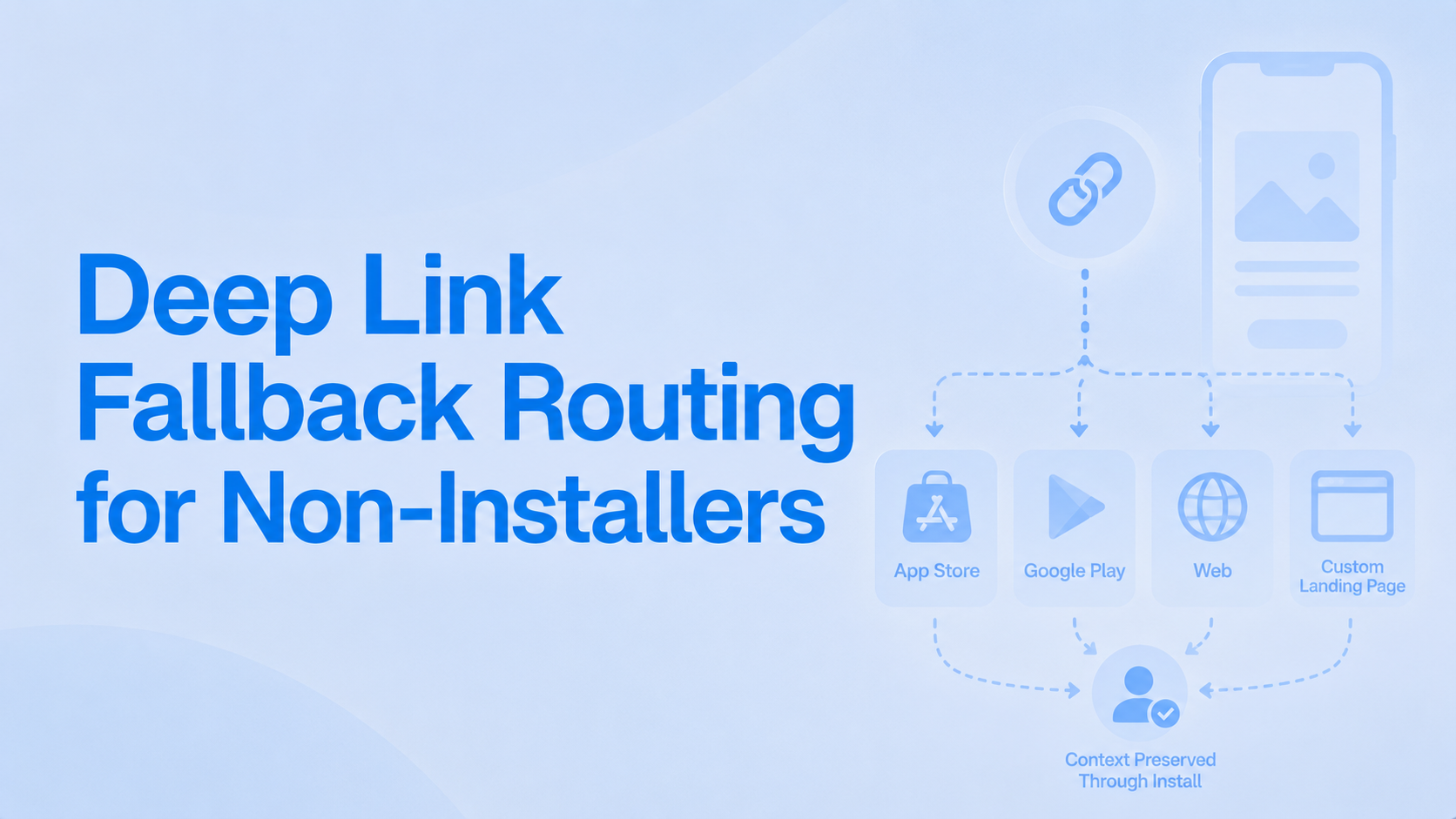
Most deep link planning quietly assumes the app is already installed. The link gets tested on a phone that has the app, it opens the right screen, and the ticket is closed. In reality the majority of taps on a paid or social link come from people who do not have the app yet, and what happens to them in the next two seconds decides whether the spend converts or evaporates.
That gap is where money leaks. The installed-user path looks healthy in QA while the larger non-installer cohort lands on a blank store page with no context, and the campaign underperforms for reasons nobody can see in the link itself.
This post is about that non-installer path: what should happen, in what order, and how to test it before you spend.
What Deep Link Fallback Routing Is
Deep link fallback routing: the logic that decides where a user is sent when a deep link cannot open the app directly, such as redirecting to the app store with a deferred deep link, to a mobile website, or to a responsive landing page, so the tap is not wasted when the app is not installed.
Every deep link serves two audiences at once:
-
Installed users, who should open straight to the routed screen.
-
Non-installers, who cannot open the app at all and need a deliberate fallback.
The non-installer path is the one most teams leave on default, which usually means the store home page with nothing carried through install. For the full taxonomy of link types underneath this, see what are deep links.
The Fallback Ladder, From Best to Worst Outcome
Think of fallback as a ladder. You want every tap as high up as possible.
-
App opens to the routed screen. Installed user, link resolves, context preserved. The ideal.
-
Deferred deep link. Non-installer goes to the store, installs, and the first launch lands on the routed screen with context intact. This is the best achievable outcome for someone without the app.
-
Store landing, context lost. The user reaches the store but installs into a generic first launch. The install may happen; the promise does not.
-
Web or mobile-site fallback. When the store is the wrong destination (desktop, unsupported region, or an experience that works on web), route to a responsive page that honours the original intent.
-
Dead end. Store home or app home with nothing preserved. This is the rung to design out entirely.
The difference between rung 2 and rung 3 is reliable deferred deep linking. When it works, context survives the install. When it does not, you silently drop to rung 3.
Choosing the Right Fallback by Channel and Intent
The right rung depends on who is tapping and why.
-
Paid UA, install is the goal: deferred deep link into the store. You want the install and the context, in that order.
-
Existing-user channels (email, push, CRM): straight to the app, with a web fallback for the minority who have uninstalled. These users mostly have the app, so optimise for the direct open.
-
Desktop and unsupported environments: web or responsive site. A store link on a laptop is a dead end.
-
Region or device where the app is unavailable: an honest web fallback, never a store link that 404s or shows "not available in your country".
Matching the destination to intent is the same discipline marketers apply when briefing any routing work, covered in plain terms in our guidance on getting deep links right for campaigns.
How to Preserve Context Through Install
Rung 2 is worth protecting, because it is where most of the value sits.
-
Know what deferred deep linking can and cannot carry. It can carry a destination and campaign context through the install. It cannot guarantee a perfect match on every device, especially where privacy signals are limited. The mechanics are explained in deferred deep links explained.
-
Check first-launch state before opening anything. The routed screen must confirm it is a deferred-routed first launch before it opens, or the user lands on the default home screen by default.
-
Degrade gracefully on a low-confidence match. When the deferred match is uncertain, route to the nearest sensible screen (the relevant category, say) rather than forcing a wrong-context deep open or failing to a blank home.
How to QA the Non-Installer Path Specifically
This is the step that catches the leak. Most QA only ever tests with the app installed.
-
Test from a device without the app. Uninstall first, then tap. This is the only way to see what a non-installer sees.
-
Walk the full install-state matrix: installed, not installed, reinstalled, and unsupported region or device. Each can route differently.
-
Log what happens at each rung. Record which fallback fired for each tap so you can spot a channel quietly collapsing to rung 3.
Our deep link QA checklist covers the broader pre-launch sweep, and many of the iOS-specific traps live in why your deep links break on iOS.
Tech Explainer: why the installed-only test passes while the campaign fails. When the app is present, the OS resolves the link straight to the app and you never exercise the fallback code at all. The deferred path, the store redirect, and the first-launch routing only run for people without the app, so a test on an installed device gives a false all-clear for the cohort that actually matters.
The most common silent revenue leak we see in deep linking onboardings fits exactly this shape: a paid link routes installed users perfectly but drops non-installers onto the store home with no deferred context. The blended numbers look acceptable, the larger non-installer cohort lands on a blank first launch, and the campaign quietly underperforms.
How This Looks Inside an MMP
Fallback routing and attribution should be configured together, not stitched across two tools. If routing lives in one product and attribution in another, you cannot easily see how often a link is dropping to a worse rung.
Platforms like Linkrunner are built so links are dynamic and deferred by default, with the fallback ladder and attribution set in one place. That lets you define what happens for non-installers per channel and then see how often each fallback rung is actually hit, rather than discovering a broken store link after the spend is gone. The reporting cut to watch is the share of taps resolving to a deferred install versus a context-less store landing.
FAQ
What is deep link fallback routing?
It is the logic that decides where to send a user when a deep link cannot open the app directly, for example a deferred deep link into the store, a mobile website, or a responsive landing page, so the tap is not wasted.
Where should a deep link send a user who does not have the app?
For paid acquisition, to the store with a deferred deep link so context survives the install. For existing-user channels, to a web fallback. Never to a store home page with no context preserved.
Can a deep link preserve context for someone who installs the app afterwards?
Yes, that is exactly what a deferred deep link does. It carries the destination and campaign context through the install so the first launch lands on the routed screen rather than the home screen.
What is the difference between a deferred deep link and a fallback redirect?
A deferred deep link preserves context through install and routes the new user to the intended screen. A fallback redirect is the broader decision of where to send any tap that cannot open the app, which may be the store, web, or a landing page.
How do I test what happens when the app is not installed?
Uninstall the app, then tap the link, and walk the full install-state matrix: not installed, reinstalled, and unsupported region. Log which fallback fires each time.
The Takeaway
The non-installer path is not an edge case. For most paid and social links it is the majority of taps, and leaving it on default is how spend leaks without a trace. Map your links to the fallback ladder, match the destination to channel intent, protect the deferred-routing rung, and QA from a device without the app installed.
If you want fallback routing and attribution configured in one place, with a live view of how often each rung is hit, request a demo from Linkrunner. Start this week by uninstalling your own app and tapping your top paid link. What you see is what most of your prospects see.