
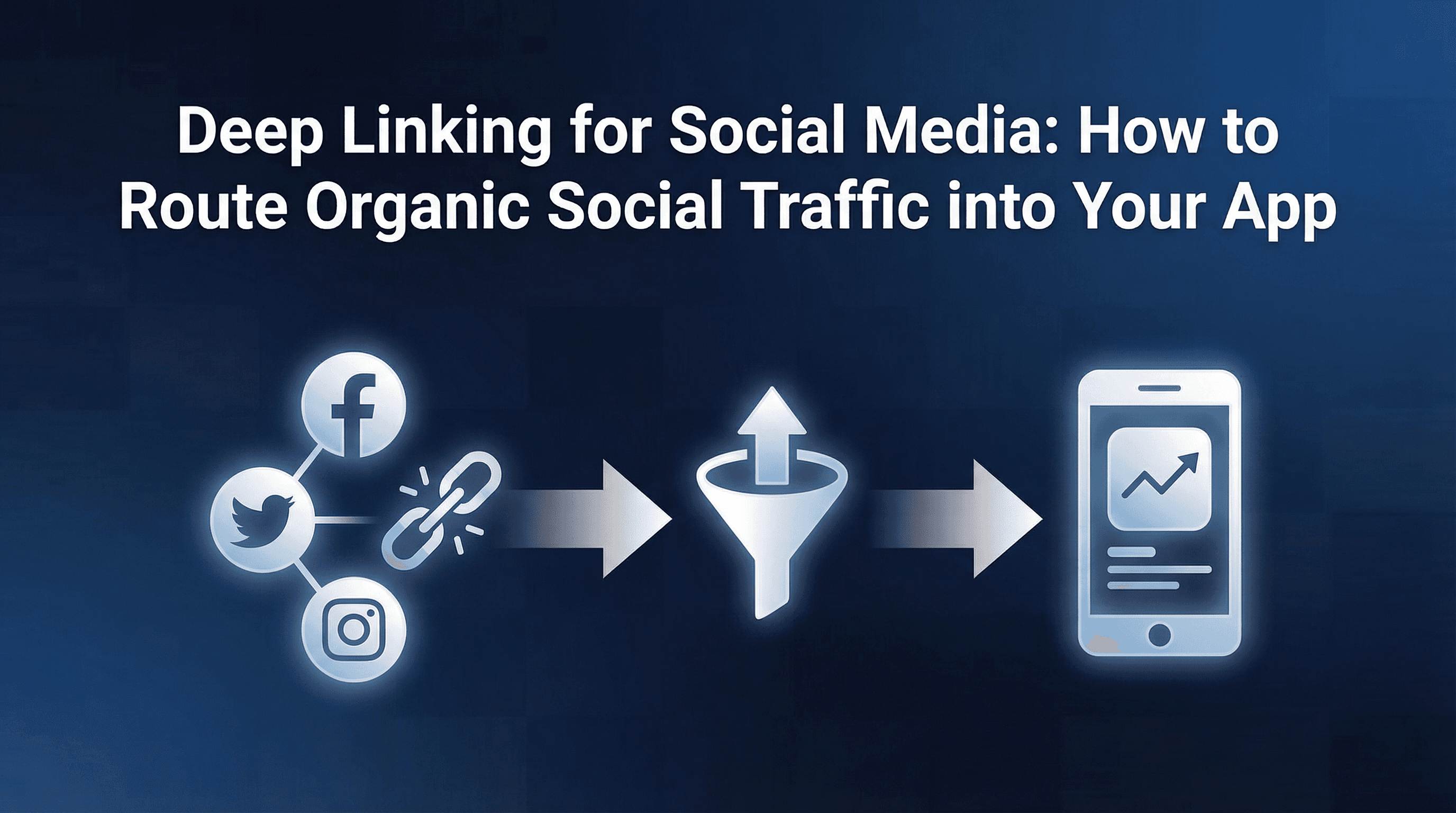
Every week, your team posts content on Instagram, X, LinkedIn, and YouTube. Some of it performs well. Stories get tapped, posts get shared, bios get clicked. But when a user actually taps that link, what happens next?
In most cases, they land on a generic app store page. They may or may not download the app. If they do, they open it to the home screen with zero context about what brought them there. The product they saw in a Reel, the discount mentioned in a Story, the referral code shared in a post: all of it is lost.
This is the organic social-to-app gap, and it costs growth teams more than they realise. Paid campaigns get deep links, postbacks, and attribution. Organic social gets a store link and a prayer. If your team is investing time in organic social content but routing users to dead-end app store pages, you are leaving installs, activations, and revenue on the table.
The Organic Social-to-App Gap
Paid UA campaigns on Meta, Google, and TikTok have well-documented deep linking workflows. Ad networks pass click identifiers, MMPs match installs, and users land on the right in-app screen. The infrastructure exists because money is directly at stake.
Organic social is different. There is no ad click ID. There is no campaign pixel. But the user intent is often just as strong, sometimes stronger, because someone chose to engage with your content rather than being served an ad.
The problem is that most teams treat organic social links as an afterthought. A Linktree page in the bio. A bare app store URL in a Story. A shortened link in a post caption that opens Safari or Chrome, asks the user to find the app, and then drops them on the home screen.
This workflow breaks in three places. First, the link does not carry context (what screen, what offer, what referral code). Second, in-app browsers intercept the redirect before the operating system can trigger a Universal Link or App Link. Third, if the user does not have the app, there is no mechanism to preserve the original intent through the install process.
Why Deep Links Break Inside In-App Browsers
This is the single biggest technical problem with organic social deep linking, and it catches most teams off guard.
When a user taps a link inside Instagram, X, LinkedIn, or YouTube, the platform does not open the device's default browser. It opens its own in-app browser, a WebView that runs inside the social app itself.
In-app browsers create three specific issues for deep linking:
Universal Links and App Links fail silently. Apple's Universal Links and Android's App Links are designed to intercept navigation at the OS level and redirect to the app. But in-app browsers often suppress this behaviour. The link loads as a web page inside the WebView instead of triggering the app open. The user sees a mobile web fallback or a blank page, not the app.
JavaScript bridge limitations. Some deep linking solutions rely on JavaScript redirects to trigger app schemes (e.g., myapp://product/123). In-app browsers restrict or delay these redirects, and many platforms actively block custom URI schemes to prevent users from being pulled out of their app.
Cookie and referrer data is sandboxed. In-app browsers do not share cookies or local storage with Safari or Chrome. If your deep linking relies on a cookie to store click context, that data is invisible once the user leaves the in-app browser and opens the actual app.
The result is that standard deep links, the ones that work perfectly from paid ad clicks, often fail completely from organic social taps. The user taps, sees a broken flow, and either gives up or lands on a generic store page with no context.
The fix requires links that detect the in-app browser environment and route accordingly: using a smart redirect page that prompts the user to open in their default browser, triggering a store redirect with deferred context, or using platform-specific workarounds that handle each WebView's quirks.
Platform-by-Platform Deep Link Behaviour
Each social platform handles outbound links differently, and what works on one will not work on another.
Instagram is the most restrictive. Links in feed post captions are not tappable. Link Stickers in Stories open the Instagram in-app browser. The bio link is the only reliable outbound link from a profile, and it also opens in the in-app browser.
For Stories, the in-app browser will load your redirect page, but Universal Links will not fire. Your deep link needs a fallback page that either prompts "Open in Safari" or redirects to the App Store with deferred context preserved. For Reels and feed, you are limited to the bio link, which makes your bio link strategy critical (more on this below).
X (Twitter)
X has better deep link support than Instagram. Links in posts open in the X in-app browser on iOS, but some configurations allow Universal Links to fire if the domain is properly verified. On Android, App Links tend to work more reliably from X.
The key nuance: X's in-app browser on iOS sometimes blocks the first navigation to a Universal Link domain but allows subsequent navigations. A smart redirect with a brief interstitial page improves open rates significantly.
LinkedIn opens links in its in-app browser on both iOS and Android. Universal Links and App Links are inconsistently supported. LinkedIn also strips certain URL parameters on shared links, which can break UTM tracking or custom attribution parameters.
For LinkedIn, the safest approach is a redirect page hosted on your verified domain that detects the LinkedIn WebView user agent and routes to either a "Continue in App" button or the appropriate store link.
YouTube
YouTube video descriptions allow clickable links, but they open in Chrome (Android) or Safari (iOS) rather than an in-app browser in many cases. This makes YouTube one of the more deep link-friendly social platforms. However, links in YouTube Shorts comments behave differently and may open in a WebView.
For YouTube, standard dynamic deep links work well from descriptions. The main challenge is attribution: connecting a video view to an install to an in-app action when the user journey spans two apps and a browser.
Bio Link Strategies: Beyond Linktree to Attributed App Routing
Most apps use a Linktree or similar bio link tool to list multiple destinations. This is fine for content creators, but it is a wasted opportunity for app growth teams.
A bio link tool gives you click counts. It does not give you install attribution, in-app event tracking, or downstream revenue visibility. If 500 users click your Instagram bio link this week, you have no idea how many installed, how many activated, or which post drove the highest-quality users.
A better approach is to use a dynamic deep link as your bio link. This link should do three things. First, detect whether the user has the app and route them directly to a specific screen (a featured product, a signup page with a promo code, a content piece). Second, if the user does not have the app, trigger a deferred deep link that preserves the intended destination through the install process. Third, carry attribution parameters that identify the traffic source as organic social, with the platform name and optionally the campaign or content identifier.
You can rotate the deep link destination weekly to match your content calendar. Running a product launch on Instagram this week? Point the bio link to that product screen. Promoting a referral programme on LinkedIn? Point the bio link to the referral page. The link stays the same, but the routing updates dynamically.
This approach turns your bio link from a static menu into an attributed, measurable growth channel.
Handling Users Who Do Not Have the App
A significant portion of organic social traffic comes from users who do not have your app installed. They discovered your brand through a Reel, a shared post, or a friend's Story. They are interested but are not yet users.
This is where deferred deep linking becomes essential. A standard deep link fails for new users because there is no app to open. A deferred deep link stores the intended destination and context (product ID, promo code, referral source) and passes it to the app after the user downloads and opens it for the first time.
Without deferred deep linking, the journey looks like this: user taps link in Story, gets sent to App Store, downloads app, opens to home screen, has to manually search for whatever they saw in the Story, gives up, churns.
With deferred deep linking: user taps link in Story, gets sent to App Store with context preserved, downloads app, opens directly to the product/offer/screen they originally tapped, converts.
The conversion difference between these two flows is substantial. Across attribution audits we have run for consumer apps, teams that implement deferred deep linking for organic social typically see 2 to 3x higher activation rates from social traffic compared to generic store links. The logic is straightforward: less friction, more context, better first experience.
Organic vs Paid Social: Different Deep Link Requirements
Paid social campaigns and organic social content have fundamentally different deep linking needs. Understanding these differences prevents teams from applying paid-channel configurations to organic flows and wondering why nothing works.
Click identification. Paid campaigns carry ad click IDs (fbclid, gclid, ttclid) that MMPs use for deterministic attribution. Organic social links carry no such identifiers. Your deep link needs to generate its own click ID or use device-level signals for attribution matching.
In-app browser handling. Paid ad clicks on Meta and TikTok are handled by the platform's SDK, which can trigger app opens directly. Organic link taps go through the in-app browser, a completely different technical path requiring separate handling.
Attribution windows. Paid campaign clicks have defined attribution windows (1-day view, 7-day click). Organic social needs its own window, typically 24 to 48 hours from click to install, to avoid over-crediting.
Link volume and variety. Paid campaigns use a handful of tracking links. Organic social may need dozens: one per Story, one per bio, one per pinned post, unique links per influencer. Your deep linking setup needs to support high link volume with minimal overhead.
Measuring Social-to-App Impact
Attribution for organic social is harder than for paid campaigns, but it is not impossible. The goal is to connect the chain: social content viewed, link tapped, app installed (if needed), app opened, in-app action completed.
Here is a practical measurement framework:
Link-level tracking. Each social link should carry parameters identifying the platform (Instagram, X, LinkedIn, YouTube), the content type (Story, post, bio, comment), and optionally the specific content piece or campaign. This is not UTM tracking; it is attribution metadata encoded in the deep link itself.
Install attribution. When a user who tapped an organic social link installs the app, the attribution system should credit that install to the specific link. Deferred deep linking makes this possible by matching the pre-install click to the post-install open.
Post-install event tracking. The real value of organic social is not installs but downstream actions: signups, purchases, subscriptions, content consumption. Your measurement setup should connect the original social link click to these events to calculate the true value of organic social traffic.
Channel-level comparison. Once you have link-level and event-level data, you can compare organic social against other channels. How does Instagram organic compare to Meta paid in terms of cost per activation? (Organic has no media cost, but it has content creation cost.) How does LinkedIn organic compare to Google paid in terms of D7 retention?
This level of visibility is what separates teams that "do social" from teams that grow through social. Without it, organic social remains a brand activity with no measurable connection to revenue.
Implementation Guide: Setting Up Social-Ready Deep Links
Here is a step-by-step approach to making your deep links work reliably across social platforms:
1. Verify your domain for Universal Links and App Links. Before anything else, ensure your deep link domain has a valid apple-app-site-association file (iOS) and assetlinks.json file (Android). Without these, no deep link will trigger an app open from any browser, in-app or otherwise.
2. Build a smart redirect page. Create a lightweight web page on your deep link domain that detects the user agent. If the user is in an in-app browser (check for Instagram, FBAN, Twitter, LinkedIn user agent strings), show a "Continue in App" button or an "Open in Browser" prompt that breaks out of the WebView. If the user is in a standard browser and has the app, the Universal Link or App Link fires automatically.
3. Configure deferred deep linking. Ensure every social link stores its intended destination so that new users who install the app land on the right screen. This requires your deep linking SDK to capture the deferred payload on first app open and route accordingly.
4. Set up attribution parameters. Encode the source platform, content type, and campaign identifier in every link. Use a consistent naming convention: source=instagram, medium=story, campaign=summer-sale-2026. These parameters should flow through to your analytics and attribution platform.
5. Create platform-specific link variants. Instagram bio links, Story link stickers, X post links, and YouTube description links may each need slightly different redirect behaviour. Test each one on both iOS and Android before going live.
6. Test in actual in-app browsers. Do not test deep links by pasting them into Safari or Chrome. Open Instagram, X, and LinkedIn, tap the link from inside the platform, and verify the redirect works on both iOS and Android. This is the step most teams skip, and it is the one that matters most.
FAQ
Do standard deep links work in Instagram Stories?
Not reliably. Instagram Stories open links in the Instagram in-app browser, which suppresses Universal Links on iOS. You need a redirect page with in-app browser detection and a fallback to the App Store or a "Open in Browser" prompt.
Can I attribute organic social installs without an MMP?
Technically, you can use UTM parameters and manual matching, but this breaks at scale and cannot handle deferred deep linking. An MMP or a deep linking platform with attribution capabilities connects the pre-install tap to the post-install open reliably.
How do I deep link from TikTok organic posts?
TikTok bio links behave similarly to Instagram bio links: they open in TikTok's in-app browser. The same redirect page approach applies. Links in video descriptions are not clickable for most users; the bio link is the primary outbound path.
What is the difference between a dynamic deep link and a deferred deep link?
A dynamic deep link routes users to different destinations based on device, platform, or context. A deferred deep link preserves that routing through the app install process. For social media, you need both: dynamic to handle iOS vs Android and in-app browser vs standard browser, and deferred to handle users who do not yet have the app.
How do I measure which social platform drives the best app users?
Encode the platform source in your deep link parameters, then track post-install events (signup, purchase, subscription) by source. Compare D7 retention and revenue per user by platform to identify which social channel delivers the highest-quality users, not just the most clicks.
Turning Social Traffic into Measurable App Growth
Organic social is one of the few channels where user intent is high and media cost is zero. But without proper deep linking, that intent gets lost somewhere between the tap and the app store.
The fix is not complicated, but it requires deliberate setup: deep links that handle in-app browsers, deferred context that survives the install process, and attribution that connects social taps to in-app outcomes. Teams that invest in this infrastructure turn organic social from a brand awareness channel into a measurable, optimisable growth lever.
If your team is looking to operationalise this without building custom redirect infrastructure from scratch, platforms like Linkrunner handle in-app browser detection, deferred deep linking, and organic social attribution as part of a unified deep linking and attribution setup. Every link is dynamic and deferred by default, and organic social traffic shows up alongside paid campaigns in the same dashboard, so you can compare channel quality on equal terms.
The starting point is simple: pick your highest-traffic social platform, replace the generic store link with an attributed deep link, and measure what happens to activation rates over the next two weeks. The data will make the case for doing the rest.
Ready to see how your organic social traffic actually converts? Request a demo from Linkrunner and see your social-to-app funnel in one view.