
Your EdTech app onboarded 25,000 students last month. Your dashboard shows healthy MAU figures and session times averaging 18 minutes. Then your Head of Growth asks: "How many of those students actually completed a lesson and came back the next day?" You dig into the data and discover that only 4,200 students (16.8%) completed their first lesson within 72 hours of signup. The other 20,800 are stuck at profile creation, browsing courses without committing, or churned before experiencing the learning value your content team spent months building.
This measurement gap separates EdTech products that grow sustainably from those that burn acquisition budgets chasing vanity metrics. Generic event tracking (installs, sessions, screen views) tells you students opened your app. Learning progression tracking tells you whether they're actually learning, which is the only metric that matters for EdTech retention and monetisation.
EdTech apps require specialised event taxonomies because the conversion funnel is fundamentally different from ecommerce, gaming, or fintech. Students must overcome motivational friction, establish learning habits, experience measurable progress, and often involve parents or guardians in the decision to continue or upgrade. Each step requires specific measurement to identify where learners drop off and which acquisition sources drive students who actually complete courses.
Why Generic Event Tracking Fails for EdTech (The Free Trial Trap)
Most EdTech apps offer free trials or freemium models to reduce signup friction. This creates a dangerous measurement blind spot. Your analytics might show 50,000 free users, but free users doing what? Are they browsing course catalogues without starting lessons? Starting lessons without completing them? Completing one lesson then disappearing for weeks?
Generic tracking can't answer these questions because standard events (app_open, screen_view, button_click) measure activity, not learning progress. A student who opens your app 20 times but never completes a lesson is counted as "highly engaged" by generic metrics. In reality, they're one notification away from uninstalling.
EdTech funnels have unique conversion points that generic tracking misses completely. First lesson completion is your true activation metric, not signup. Learning streaks predict retention far better than session frequency. Assessment scores reveal whether students are actually absorbing content. Parent engagement often determines whether a child's account converts to paid.
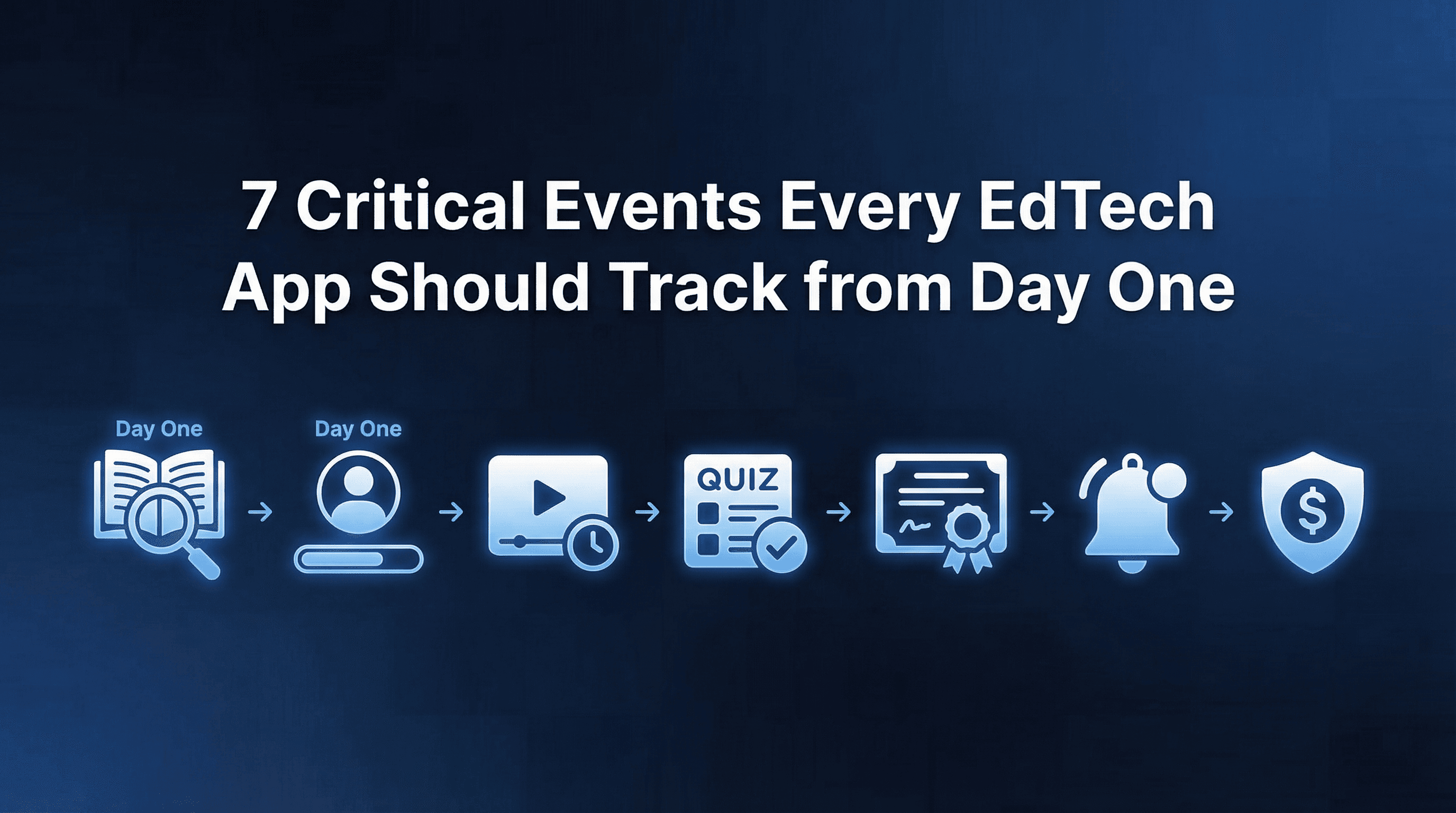
The 7 events below represent the minimum viable event taxonomy for any EdTech app. They track the complete learner journey from profile creation through habit formation and monetisation, revealing exactly where students disengage and which acquisition sources drive learners who complete courses rather than abandon them.
Event #1: Profile Created (Student/Parent Segmentation Start)
Event name: profile_created
When to fire: Immediately after user completes profile setup (name, age, learning goals, grade level or skill assessment)
Why it matters: Profile creation marks conversion from anonymous visitor to identified learner. More importantly, the profile data captured enables segmentation that drives everything else. Knowing whether a user is a K-12 student, college learner, working professional, or parent managing a child's account fundamentally changes how you measure their journey and which events matter for their cohort.
Properties to track:
User type (student, parent, teacher, professional)
Age bracket (under 10, 10-14, 15-18, 18-25, 25+)
Learning goal selected (exam prep, skill building, academic support, hobby learning)
Subject interests (maths, science, languages, coding, etc.)
Referred by (organic, paid, referral_code)
Benchmark targets: 40-55% of installs should complete profile creation within 24 hours. EdTech apps see lower immediate conversion than fintech because learning isn't urgent. Students often install apps and return later when they have study time. Profile completion rates above 60% suggest strong value proposition or compelling onboarding.
Common issues detected:
If profile completion drops sharply at specific fields (age verification, school selection, skill assessment), those fields create friction. If parent-type profiles have much lower completion rates than student profiles, your parent onboarding flow needs simplification.
Optimisation opportunities:
Minimise required fields during initial profile creation. Let students start learning quickly and capture additional profile data progressively. Track which acquisition channels drive users who complete profiles to focus spend on quality sources.
Event #2: First Lesson Started (Activation Signal)
Event name: first_lesson_started
When to fire: When user begins their first learning activity (plays first video, opens first interactive lesson, starts first quiz)
Why it matters: Starting a lesson demonstrates intent to learn. Many users create profiles but never explore content. This event separates browsers from learners and enables calculation of your true engagement rate (percentage of profiles that attempt learning). The gap between profile creation and first lesson started reveals whether your course discovery UX is helping or hindering.
Properties to track:
Subject selected (maths, science, english, coding)
Lesson type (video, interactive, quiz, reading)
Discovery method (recommended, searched, category browse)
Time since profile creation (minutes/hours)
Free or paid content
Benchmark targets: 60-75% of users who complete profiles should start their first lesson within 48 hours. Lower rates indicate users can't find relevant content, feel overwhelmed by choices, or aren't motivated to begin. Higher rates (above 80%) suggest effective course recommendations and clear learning paths.
Common issues detected:
Long delays between profile creation and first lesson (3+ days) suggest lack of urgency or unclear next steps. If users from certain acquisition channels have much lower first lesson rates, those channels might be attracting students who aren't ready to learn or setting wrong expectations.
Optimisation opportunities:
Show personalised course recommendations immediately after profile completion. Create "Start Learning" CTAs that reduce decision paralysis. Send push notifications reminding students to begin their first lesson if they haven't within 24 hours. Analyse which lesson types have highest "first lesson" selection to feature those prominently.
Event #3: First Lesson Completed (Engagement Validation)
Event name: first_lesson_completed
When to fire: When user finishes their first complete learning unit (video watched to end, interactive module completed, quiz submitted)
Why it matters: Lesson completion is EdTech's true activation event. Starting a lesson shows intent; completing it demonstrates commitment and value realisation. This event is the strongest predictor of continued engagement. Students who complete their first lesson within 24 hours of starting have 3-4x higher D30 retention than those who abandon mid-lesson.
Properties to track:
Lesson duration (total time to complete)
Completion method (finished naturally, skipped ahead, marked complete)
Score or performance (if applicable)
Content rating (if collected)
Time since first lesson started
Benchmark targets: 65-80% of users who start their first lesson should complete it within the same session. Drop-off during first lesson indicates content quality issues, lesson length problems, or technical friction. Very high completion rates (above 90%) might suggest lessons are too short or unchallenging.
Common issues detected:
If students consistently drop off at specific points within lessons (5-minute mark of 10-minute videos, question 3 of 5-question quizzes), those segments need content redesign. High drop-off on certain subjects suggests content quality varies across your catalogue.
Optimisation opportunities:
Analyse where within lessons students abandon to identify content weak points. A/B test different lesson lengths to find optimal completion rates. Create "resume where you left off" functionality to recover students who close mid-lesson. Celebrate first lesson completion with achievement badges or progress indicators.
Event #4: 3-Day Streak Achieved (Habit Formation)
Event name: streak_achieved_3day
When to fire: When user completes learning activities on 3 consecutive days (definition of "activity" should be lesson completion, not just app open)
Why it matters: Learning habit formation is the holy grail of EdTech retention. A 3-day streak indicates the student is building learning into their routine. This event strongly predicts long-term retention and premium conversion. Students who achieve 3-day streaks have 50-70% higher D30 retention and 2-3x higher premium conversion rates than students who learn sporadically.
Properties to track:
Average daily time spent during streak
Lessons completed per day during streak
Subjects studied during streak (single focus vs variety)
Time of day studying (morning, afternoon, evening)
Streak start day of week
Benchmark targets: 25-40% of students who complete their first lesson should achieve a 3-day streak within their first week. This varies significantly by user type. Exam prep students facing deadlines show higher streak rates (40-50%) than casual learners (15-25%).
Common issues detected:
If students consistently break streaks on specific days (weekends for school students, weekdays for working professionals), your engagement strategy needs day-specific tactics. Low streak achievement from paid acquisition channels suggests you're acquiring unmotivated students.
Optimisation opportunities:
Send streak reminder notifications at consistent times matching when users previously studied. Create streak recovery mechanisms ("freeze" feature) to prevent demotivation from single missed days. Gamify streaks with visual progress, rewards, and social sharing. Analyse which content types drive longest streaks to feature them in recommendations.
Event #5: First Assessment Passed (Value Realisation)
Event name: first_assessment_passed
When to fire: When user passes their first substantive assessment (chapter test, skill quiz, practice exam) with a score meeting passing threshold
Why it matters: Assessment passing is concrete evidence of learning. Students can watch videos without absorbing content; passing assessments proves they've learned something. This event represents true value realisation in EdTech. Students who pass their first assessment develop confidence in your platform's effectiveness, dramatically increasing likelihood of continued engagement and premium conversion.
Properties to track:
Assessment type (chapter test, skill quiz, practice exam, certification)
Score achieved (percentage or grade)
Subject and difficulty level
Time spent on assessment
Attempts before passing (first try vs multiple attempts)
Benchmark targets: 70-85% of students who complete 3+ lessons in a subject should pass their first assessment within 2 weeks. Lower rates suggest assessment difficulty doesn't match lesson content, or lessons aren't effectively teaching material. Very high rates (above 95%) might indicate assessments are too easy and not providing genuine feedback.
Common issues detected:
If students complete many lessons but fail assessments, content-assessment alignment needs review. High failure rates on specific topics indicate content gaps. Students who attempt assessments without completing prerequisite lessons are skipping ahead inappropriately.
Optimisation opportunities:
Provide targeted content recommendations based on assessment performance gaps. Create low-stakes practice quizzes that build confidence before formal assessments. Celebrate assessment passing with achievement badges, progress bars, and social sharing options. Use assessment data to personalise future learning paths.
Event #6: Premium Upgrade (Monetisation Conversion)
Event name: premium_upgrade_completed
When to fire: When user subscribes to paid tier, purchases course, or converts from free to premium offering
Why it matters: Premium conversion is the primary monetisation event for most EdTech products. This event measures the effectiveness of your free-to-paid funnel and reveals whether free content successfully demonstrates value. Time from first lesson to premium conversion shows how long it takes students to experience enough value to pay.
Properties to track:
Premium tier selected (monthly, annual, lifetime)
Price paid and currency
Trigger for conversion (paywall hit, promotional offer, feature limit)
Time since profile creation
Lessons completed before conversion
Assessment scores before conversion
Benchmark targets: 5-12% of free users who complete 5+ lessons should convert to premium within 30 days. This varies significantly by price point, content exclusivity, and target audience. Test prep apps with clear deadline-driven value see higher conversion (10-15%) than general learning apps (4-8%).
Common issues detected:
If users hit paywalls and churn rather than convert, your premium offering lacks perceived value or pricing is misaligned with willingness to pay. If premium conversion happens very early (before 3 lessons), users might be converting on marketing promises rather than product experience, increasing refund risk.
Optimisation opportunities:
A/B test paywall placement to find optimal balance between free content value and conversion pressure. Offer limited-time discounts to users who've demonstrated engagement (5+ lessons, 3-day streak). Create premium-only features that free users can preview but not access. Analyse which free content drives highest conversion rates to feature prominently.
Event #7: Parent Dashboard Opened (Parental Engagement for Retention)
Event name: parent_dashboard_opened
When to fire: When a parent or guardian accesses their child's learning progress dashboard for the first time (requires parent account linked to student account)
Why it matters: For K-12 EdTech products, parent engagement is often the hidden driver of retention and premium conversion. Parents who actively monitor their child's progress are far more likely to maintain subscriptions and encourage continued learning. This event measures parent activation and enables targeting of parent-specific communications.
Properties to track:
Parent account status (invited, registered, verified)
Student age bracket being monitored
Features viewed on dashboard (progress reports, time spent, assessment scores)
First vs return visit
Time since student profile creation
Benchmark targets: 30-50% of students under 16 should have a parent who opens the dashboard at least once within 14 days of student signup. Lower rates indicate parent invitation flow isn't compelling or parents aren't seeing value in monitoring. Products targeting younger children (under 12) should aim for higher parent engagement (50-65%).
Common issues detected:
If parents are invited but don't register, invitation messaging isn't compelling. If parents register but don't return to the dashboard, the dashboard doesn't provide actionable insights. Very low parent engagement from certain acquisition channels suggests those channels aren't reaching parents at all.
Optimisation opportunities:
Send progress reports directly to parent emails with highlights of student achievements. Create parent-specific notifications for milestones (streak achieved, assessment passed, new skill unlocked). Make dashboard mobile-friendly for parents checking progress on the go. Involve parents in goal-setting to increase investment in outcomes.
Attribution Windows for EdTech: Why 14-Day Matters (Trial-to-Paid Journey)
EdTech has longer conversion funnels than impulse-purchase categories like gaming or food delivery. Students research learning platforms, compare options, often discuss with parents, and need time to experience value before committing. Standard 7-day attribution windows used by ecommerce apps miss legitimate EdTech conversions.
A prospective student might click your Meta ad while browsing during exam season, research alternatives over the following weekend, install your app on Monday when school starts, complete their first lesson by Wednesday, and convince their parent to pay for premium by the next weekend. That's a 10-14 day conversion journey that would be missed by shorter attribution windows.
Configure attribution windows based on your conversion funnel data:
K-12 consumer apps: 14-day window (requires parent approval for purchases)
College/professional learning: 10-14 day window (individual decision, but considered purchase)
Test prep with deadlines: 7-day window (urgency shortens consideration)
Hobby/skill learning: 21-day window (no urgency, longer research phase)
Track time-to-conversion metrics by acquisition channel. If 80% of conversions from Google Search (high intent) happen within 5 days while conversions from Instagram (awareness) take 12+ days, optimise attribution windows per channel rather than using a single window across all sources.
Platforms like Linkrunner allow you to configure different attribution windows for different campaigns, ensuring you're crediting conversions accurately without over-attributing or missing legitimate conversions from awareness channels.
Frequently Asked Questions
How do I track engagement for apps serving both students and teachers?
Create separate event flows for student and teacher personas. Teachers have different activation events (first assignment created, first class roster imported) than students. Use the user_type property captured during profile_created to segment all downstream events. This lets you analyse student and teacher funnels independently.
Should I track content engagement differently for videos vs interactive lessons?
Yes. Videos should track watch percentage milestones (25%, 50%, 75%, 95%) while interactive modules should track step completion. For first_lesson_completed, define completion thresholds appropriate to each content type: 95% watch for videos, all steps done for interactives. This reveals which content formats engage your students most effectively.
What's the best way to handle streak tracking across timezones?
Use the user's local timezone for streak calculations, not server time. A student in Mumbai completing lessons at 11pm local time shouldn't break their streak because it's already the next day in UTC. Store user timezone in profile and calculate streak continuity based on their local calendar day.
How do I attribute parent-initiated conversions to the original student acquisition source?
Link parent accounts to student accounts and inherit attribution data from the student. When a parent upgrades to premium, attribute that conversion to the campaign that originally acquired the student. This gives accurate ROI for student acquisition campaigns even when parents complete the payment.
Should I track lesson starts and completions for every lesson or just the first?
Track first lesson with a distinct event (first_lesson_started, first_lesson_completed) for activation measurement. Track all subsequent lessons with generic events (lesson_started, lesson_completed) with lesson_number as a property. This allows funnel analysis for activation while enabling lifetime engagement analysis across all content.
How do I measure the impact of gamification features on retention?
Track gamification events (streak_achieved, badge_earned, leaderboard_position_changed) as separate events. Then create cohort comparisons: students who achieved 3-day streaks vs those who didn't, students who earned badges vs those who didn't. Compare D30 retention and premium conversion rates between cohorts to quantify gamification ROI.
If you're building an EdTech product and want to connect learning progression events to acquisition sources for true marketing ROI, request a demo from Linkrunner to see how unified attribution and event tracking works in practice. Track which campaigns drive students who actually complete courses, not just students who install and disappear.